
NetForge
A desktop application for designing, testing, and managing APIs.
Free desktop app for macOS, Windows, and Linux · No account required
Everything you need for the API lifecycle
Design specs, test endpoints, validate responses, and mock services — all in one focused desktop app.
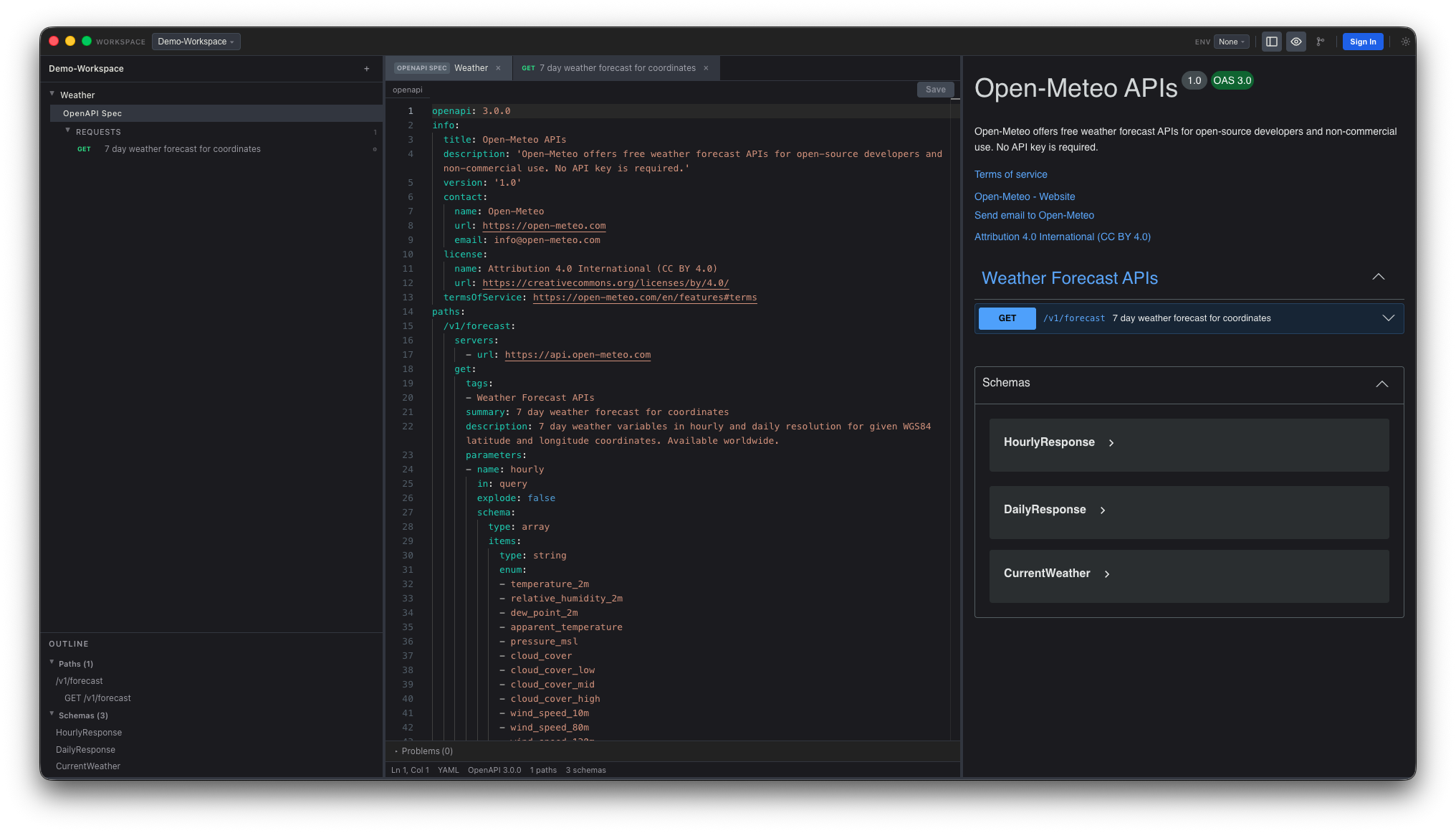
OpenAPI Spec Editor
Full-featured editor with syntax highlighting, validation, live Swagger preview, and a document outline for fast navigation.
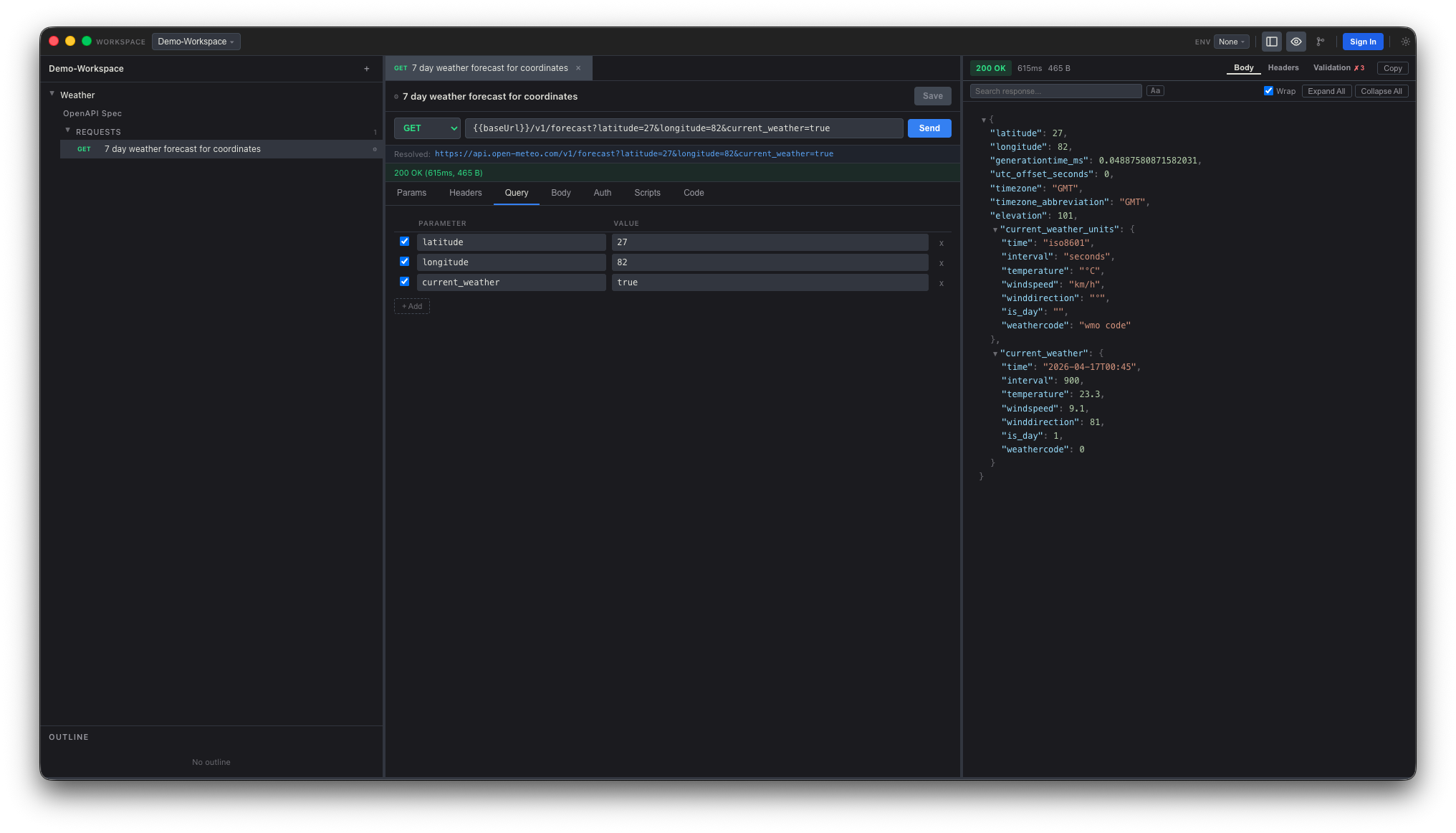
Request Collections & Testing
Organize requests into folders, auto-generate them from OpenAPI specs, and authenticate with Bearer, Basic, OAuth 2.0, or AWS Signature v4.
Response Validation
Validate API responses against your OpenAPI spec using JSON Schema — inline error annotations show exactly what went wrong.
Advanced Response Viewer
JSON and XML tree views with search, CSV table rendering, image and HTML preview, plus one-click code-snippet export.
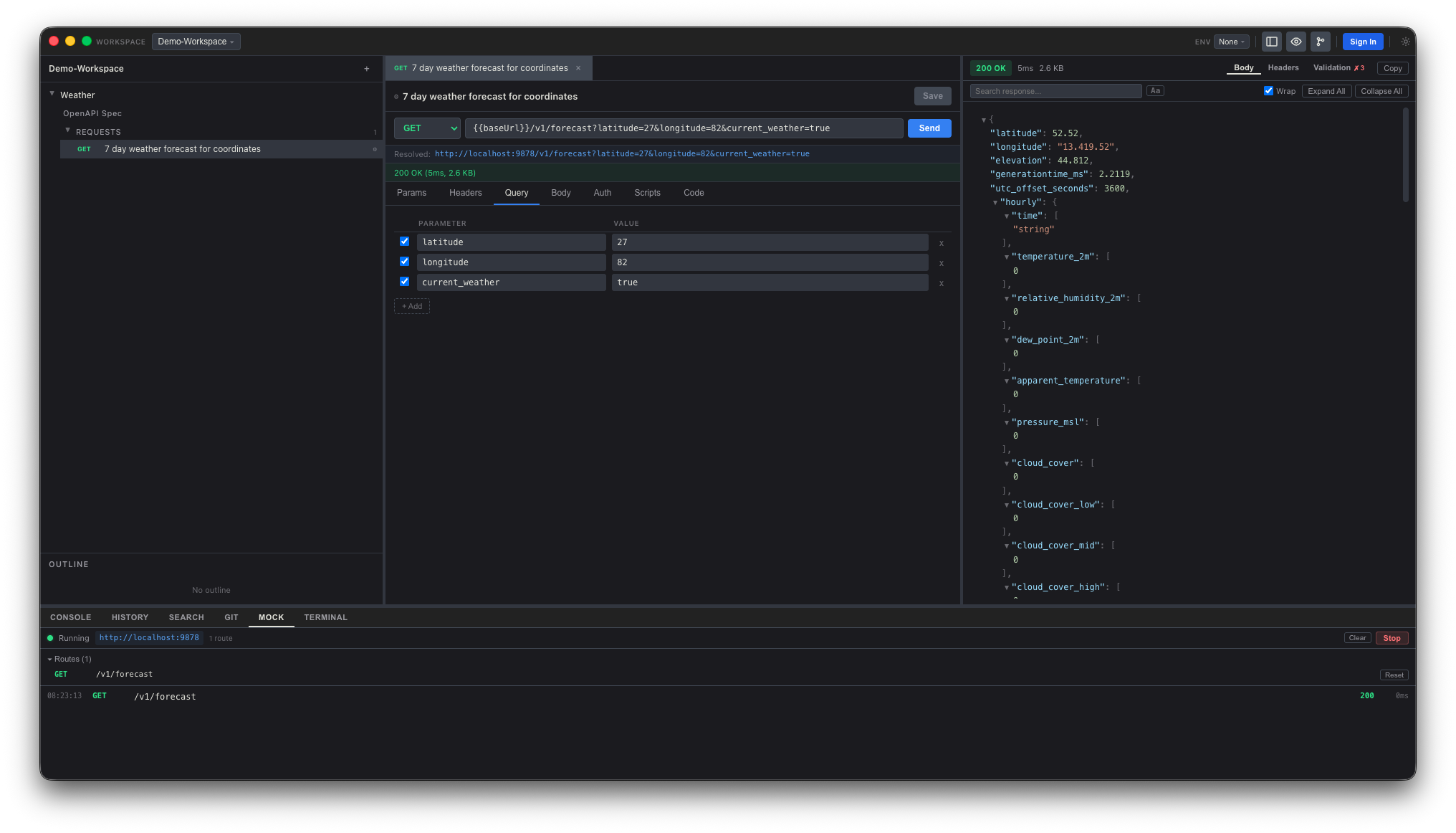
Local Mock Server
Spin up a working HTTP server from any OpenAPI spec. Ship the frontend before the backend is ready — with request logs and per-route overrides.
Environments & Variables
Switch between dev, staging, and prod with {{variable}} substitution. Private variables stay on your machine.
Pre/Post-Request Scripts
A JavaScript sandbox with a built-in nf API lets you manipulate requests, transform responses, and assert test conditions.
Collection Runner
Execute requests sequentially with per-request timing and schema validation. Export runs to a CLI runner for CI/CD pipelines.
Load & Performance Testing
Run any collection under load with configurable virtual users and profiles — fixed, ramped, spike, or peak. Track live throughput, p95/p99 latency, and per-request error rates, with optional CSV or JSON data files to drive each VU.
Built for flow
Fast, keyboard-first, and designed to stay out of your way.
Download NetForge
100% free. No account, no telemetry, no strings.
023403a5b534046c92737182d199ddbd36987495325ba13c2de7031d3a5b987a 313733c38d743769ddbb1a026e51913b402b71beefe36c5c3bcc8d865a75c74a e0f40eb3cd2a99bb16f718d4a6b6fb76c81a3af59a749b3f769ce84d6773a67d
Current version 0.2.2 · Released under the Permanent Waves banner. Verify any download with
shasum -a 256 <file>
(macOS/Linux) or
certutil -hashfile <file> SHA256
(Windows).
Frequently asked questions
Is NetForge really free?
Yes. The NetForge desktop app is free to download and use on macOS, Windows, and Linux. No account required.
Which platforms are supported?
macOS (Apple Silicon), Windows 10/11 (64-bit), and Linux (AppImage).
Where does my data live?
Everything — specs, collections, environments, private variables — is stored locally on your machine. NetForge does not send your API data anywhere.
Does it need an account or internet connection?
No. You can install NetForge and use every feature of the desktop app fully offline.
How do I report a bug or request a feature?
Email support@permanentwaves.tech and we’ll follow up.